
CRM guides
Contacts
The contact database with AI enrichment, bulk actions, import/export, and automatic discovery from your inbox.
Watch: Contacts in 90 seconds
What it does
Contacts is the system of record for people: status, owner, score and any custom fields you define, with a full tabbed detail page per contact (activity, emails, calls, notes, tasks, files).
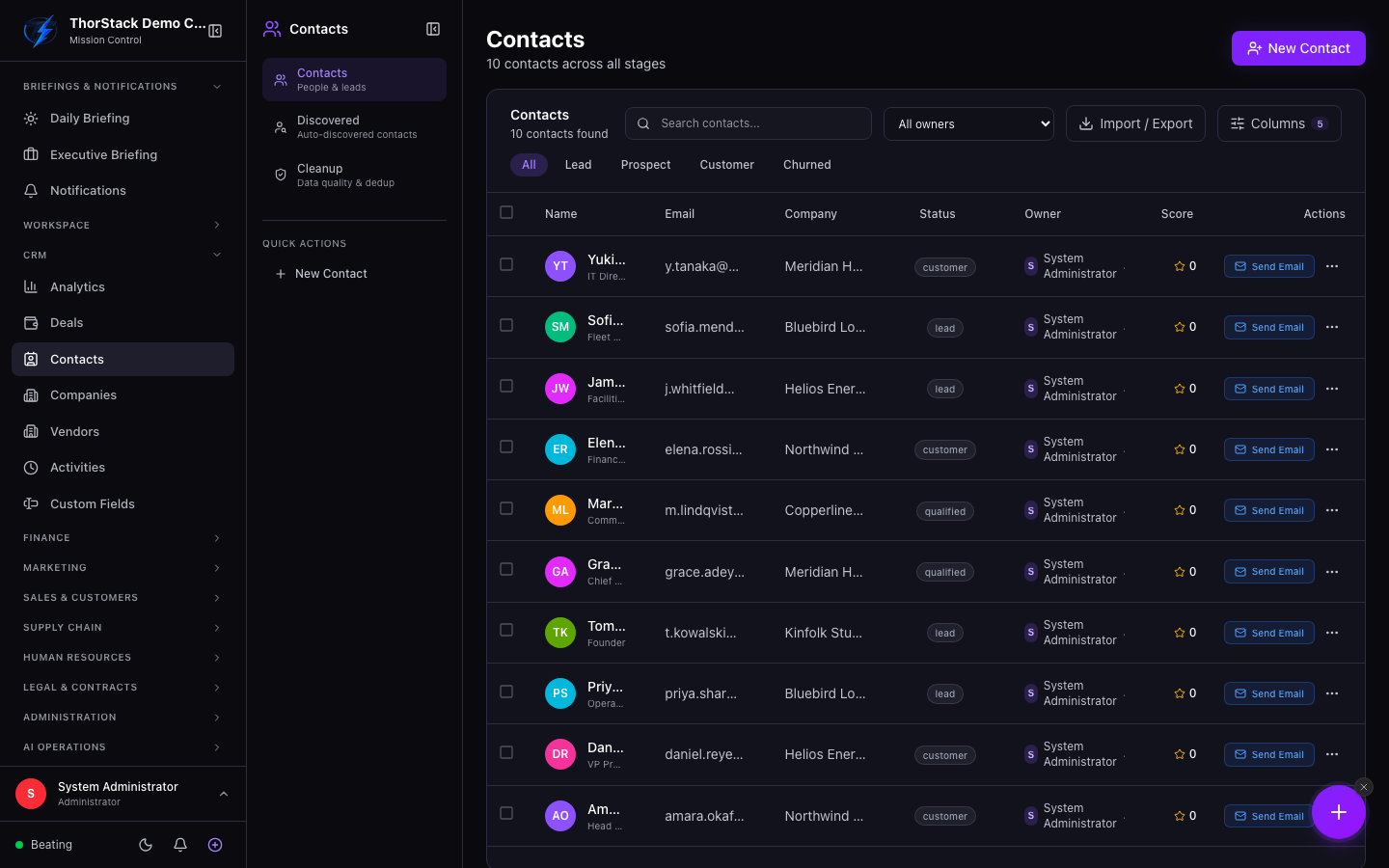 The contacts table
Key concepts
- Status — lead, prospect, customer, churned; colour-coded in the table and filterable.
- Visibility — contacts can be private to their owner or shared with the team.
- Discovered contacts — people you email get auto-created as discovered records and queue for review, so your CRM keeps up with your inbox.
- Enrichment — a three-tier pipeline (domain scraping → Prospeo → email-signature parsing) fills empty fields; it never overwrites what you've entered.
Everyday moves
- New Contact — name is all that's required; company can be created inline; custom fields are right in the form.
- Click a row for a quick preview, then View details for the full record.
- Select several contacts to compose an email to all of them, assign an owner, or share them with teammates.
- Import CSV/Excel with automatic column mapping and duplicate handling; export any selection.
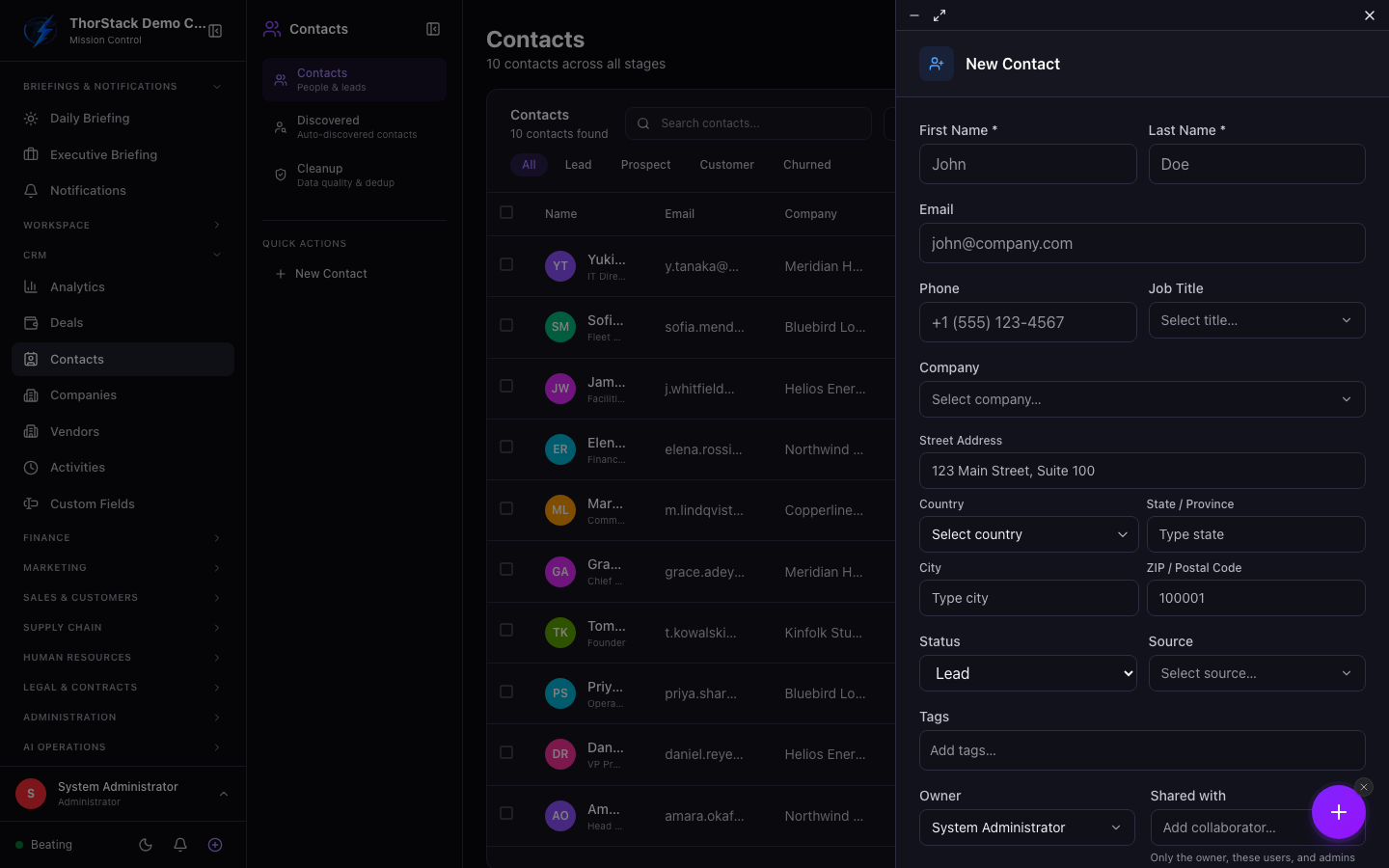 Creating a contact
Settings & permissions
Write actions need module:crm:rw. Private contacts are visible only to their owner; the cleanup centre handles duplicate detection and merging.
Related
- Emails — sync settings control whether senders auto-create contacts.
- Custom Fields — extend the contact schema.