
CRM guides
Vendors
Supplier records with categories, payment terms, bulk email and change history — the other side of your relationships.
Watch: Vendors in 90 seconds
What it does
Vendors tracks the companies you buy from: contact details, category, payment terms and tax ID, managed with the same table conventions as the rest of the CRM (search, filters, custom-field columns, change history).
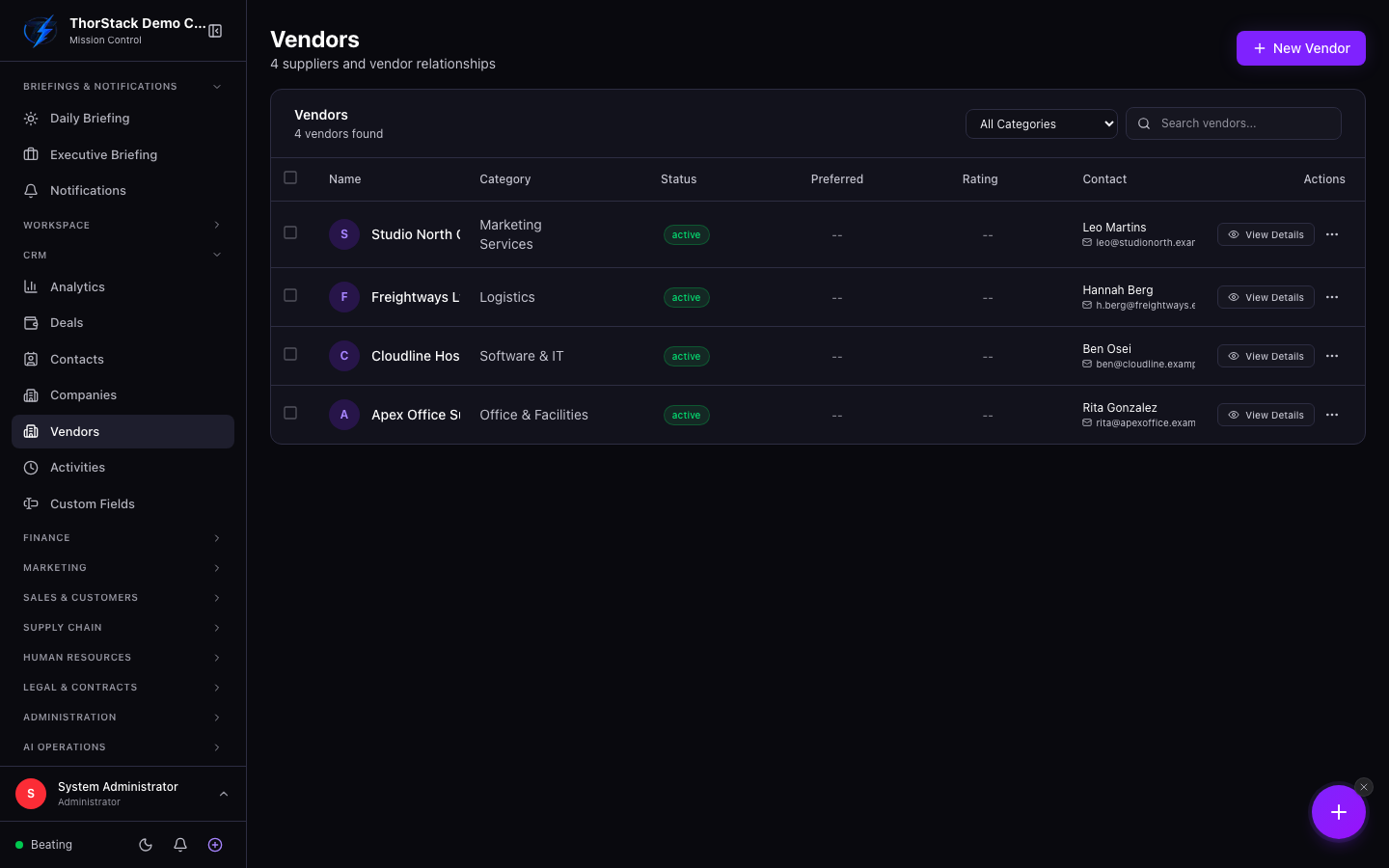 The vendors table
Key concepts
- Category — a searchable taxonomy (logistics, software, facilities…) used for filtering.
- Payment terms — Net 30/60 etc., ready for procurement workflows.
- Status — active, inactive or on hold; disable soft-deactivates without deleting history.
Everyday moves
- New Vendor — name plus whatever contact details you have; payment terms, tax ID and custom fields optional.
- Select several vendors to bulk email them (addresses pre-filled) or add them to an email list for recurring communications.
- Every edit lands in the vendor's change history with who-changed-what timestamps.
Settings & permissions
Vendors moved from Procurement into the CRM group but keep procurement permissions (module:procurement:rw).
Related
- Procurement purchase orders draw on these records.
- Email Lists — vendor distribution lists live alongside marketing lists.