
Marketing guides
Email Campaigns
Build, schedule and send campaigns with a visual builder, HTML editor or rich text — wired to your lists and segments.
Watch: Email Campaigns in 90 seconds
What it does
Email Campaigns is the send engine: campaigns move through draft → scheduled → sending → sent, targeted at your lists and segments, with search, filters and CSV export across the lot.
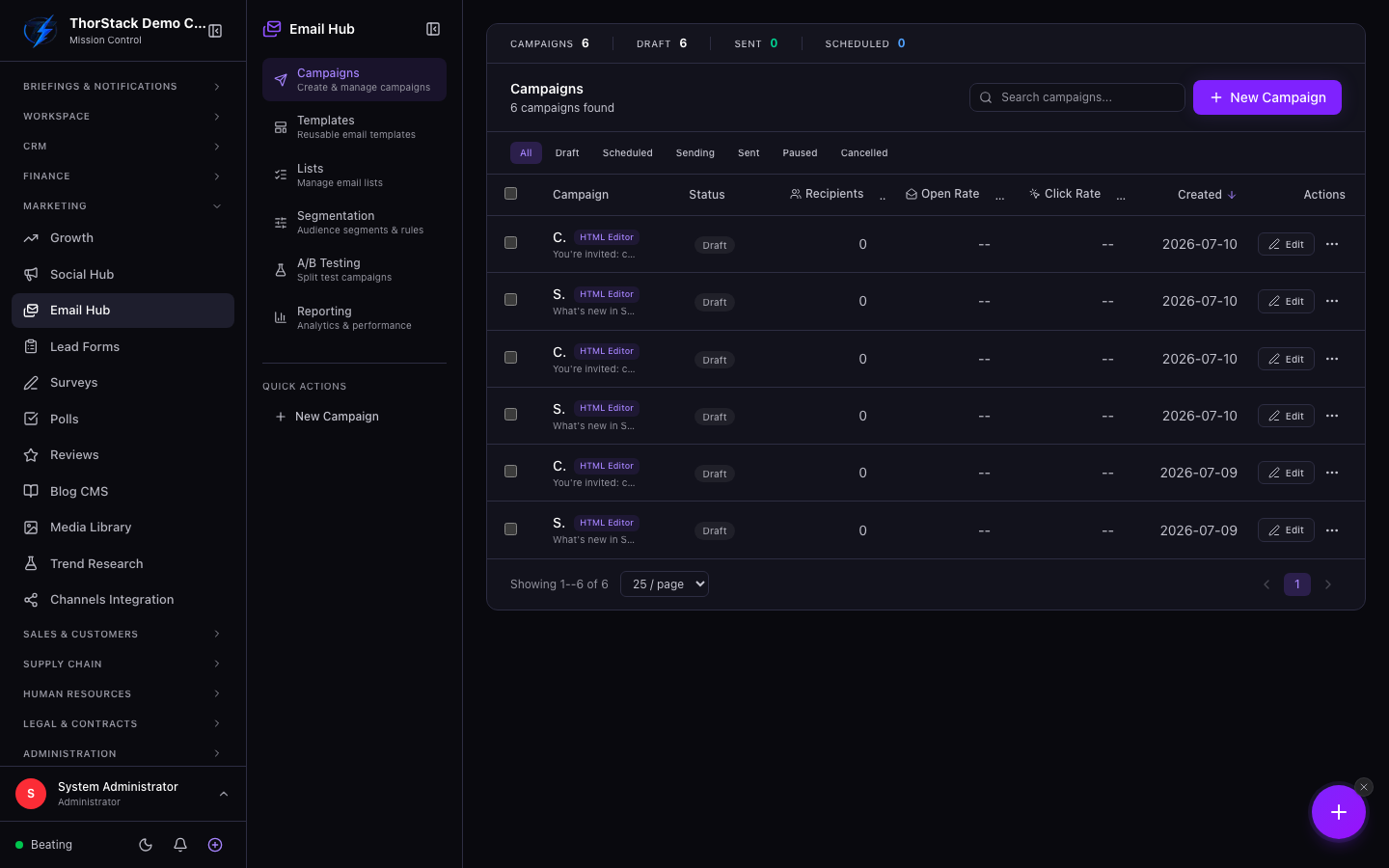 The campaigns table
Create a campaign
- New Campaign — name and subject are required; preview text, from/reply-to identities default from your email settings.
- Pick a content mode: Visual Builder, HTML Editor or Rich Text (the template picker filters to match).
- Choose recipients: any mix of email lists and segments, with live member counts.
- Save Campaign as a draft, or toggle scheduling and Save & Schedule.
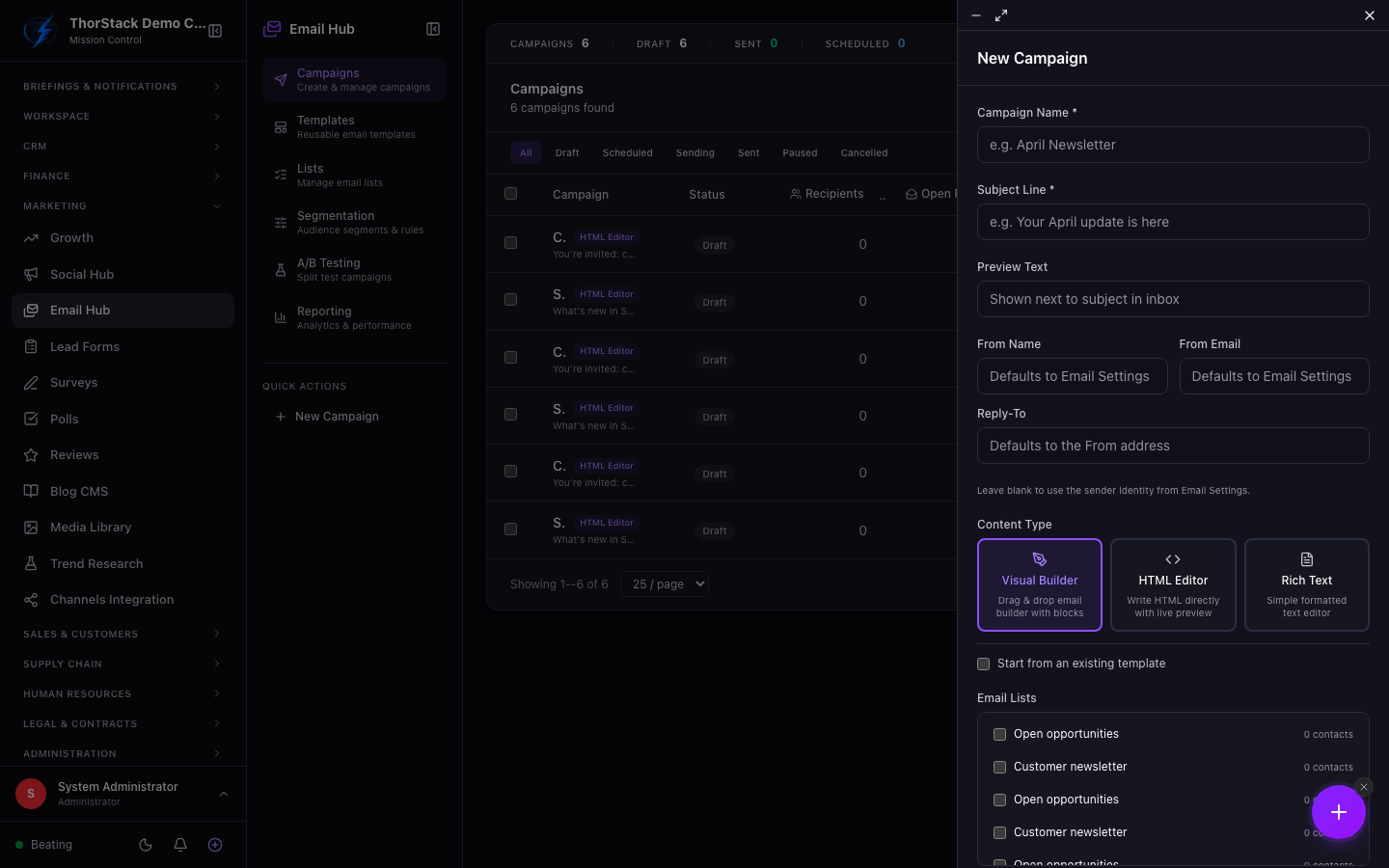 The campaign form
Worth knowing
- Send confirmation — sending shows a summary (recipients, from identity) before Confirm & Send; there's no accidental blast.
- Content-type locking — once a campaign has been sent, its content mode can't be switched, protecting the record of what went out.
- Duplicate any campaign as a fresh draft; delete only applies to drafts.
Settings & permissions
Viewing needs marketing read access; creating and sending need write. Sender identities and defaults live in Email Settings.
Related
- Email Lists and Email Templates — the building blocks.
- Workflow automations — trigger flows from campaign activity.