
Workspace guides
Support Desk
Multi-channel ticketing with SLA countdowns, internal notes, round-robin assignment and CSAT tracking.
Watch: Support Desk in 90 seconds
What it does
Support Desk queues tickets from every channel — email, phone, web form, chat and API — into one list with priority colour bars, SLA countdowns and CSAT scores. Agents work their own queue; managers see everything and control assignment.
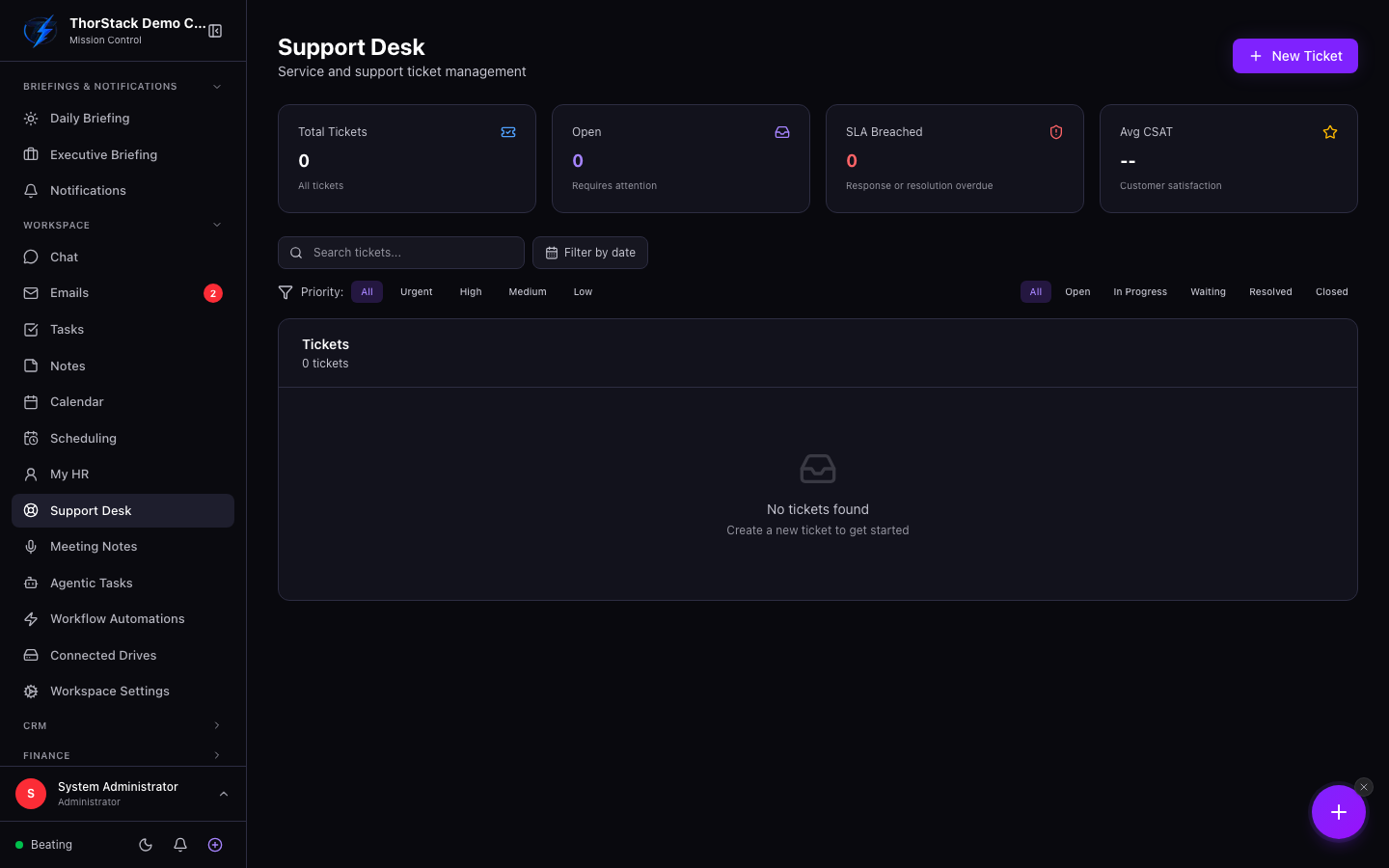 The ticket queue
Key concepts
| Concept | Meaning |
|---|---|
| Priority | Urgent → red, high → orange, medium → yellow, low → green — shown as the row's colour bar. |
| Status flow | open → in progress → waiting → resolved → closed. |
| SLA badges | Response and resolution due times count down; red means breached, amber means under an hour left. |
| CSAT | 1–5 star customer satisfaction, shown per ticket and averaged on the dashboard. |
Work a ticket
- Click New Ticket (or let a channel create one). Subject and contact email are required; add priority, category, tags and up to 10 attachments.
- In the detail view, flip between Customer Reply (emails the customer) and Internal Note (amber, team-only, supports @mentions that notify teammates).
- Update status and priority inline; closing a ticket asks for confirmation.
Assignment
Managers see an assignee dropdown plus a Round-robin button that rotates new tickets across the team. Agents see a read-only badge and a banner explaining they're viewing only their own tickets.
Settings & permissions
module:support:m— manager: sees all tickets, can assign.module:support:rw/:r— agent: own tickets only.
Attachment downloads are authenticated (no public URLs) and virus-scan status is enforced before download.
Related
- Workflow automations — trigger on new support tickets and auto-assign them.
- CRM — tickets connect to the contact and company record behind the requester.