
CRM guides
Deals
A kanban pipeline with stage totals, closed-deal locking, and one-click conversion of won deals into invoices.
Watch: Deals in 90 seconds
What it does
Deals is the pipeline. Work it as a kanban board — six stage columns from prospecting to closed, each totalling its deal count and revenue — or flip to the table view for sorting, filtering and custom-field columns.
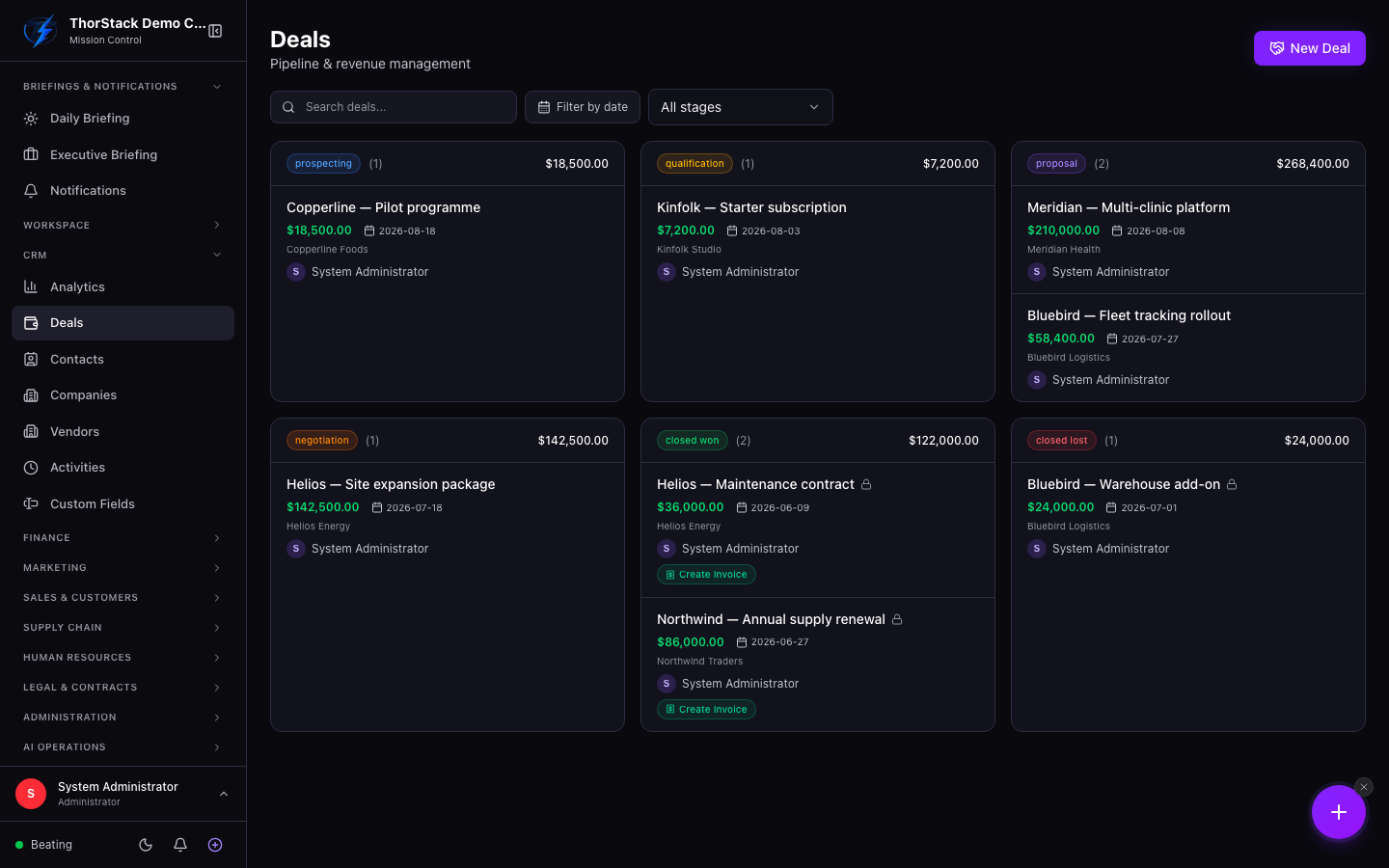 The deals board
Key concepts
- Stages —
prospecting → qualification → proposal → negotiation → closed won / closed lost. - Closed-deal lock — won and lost deals become read-only (lock icon), protecting the record you report on.
- Owner & collaborators — every deal has an owner badge; deals needing owner review are tagged.
- Custom fields — appear as toggleable table columns via the column selector.
Create and work a deal
- Click New Deal. Name it, pick the company (searchable) and contact, set the stage, amount and close date.
- Track it across the board; open any card for details, editing and its change history (every field change, who and when).
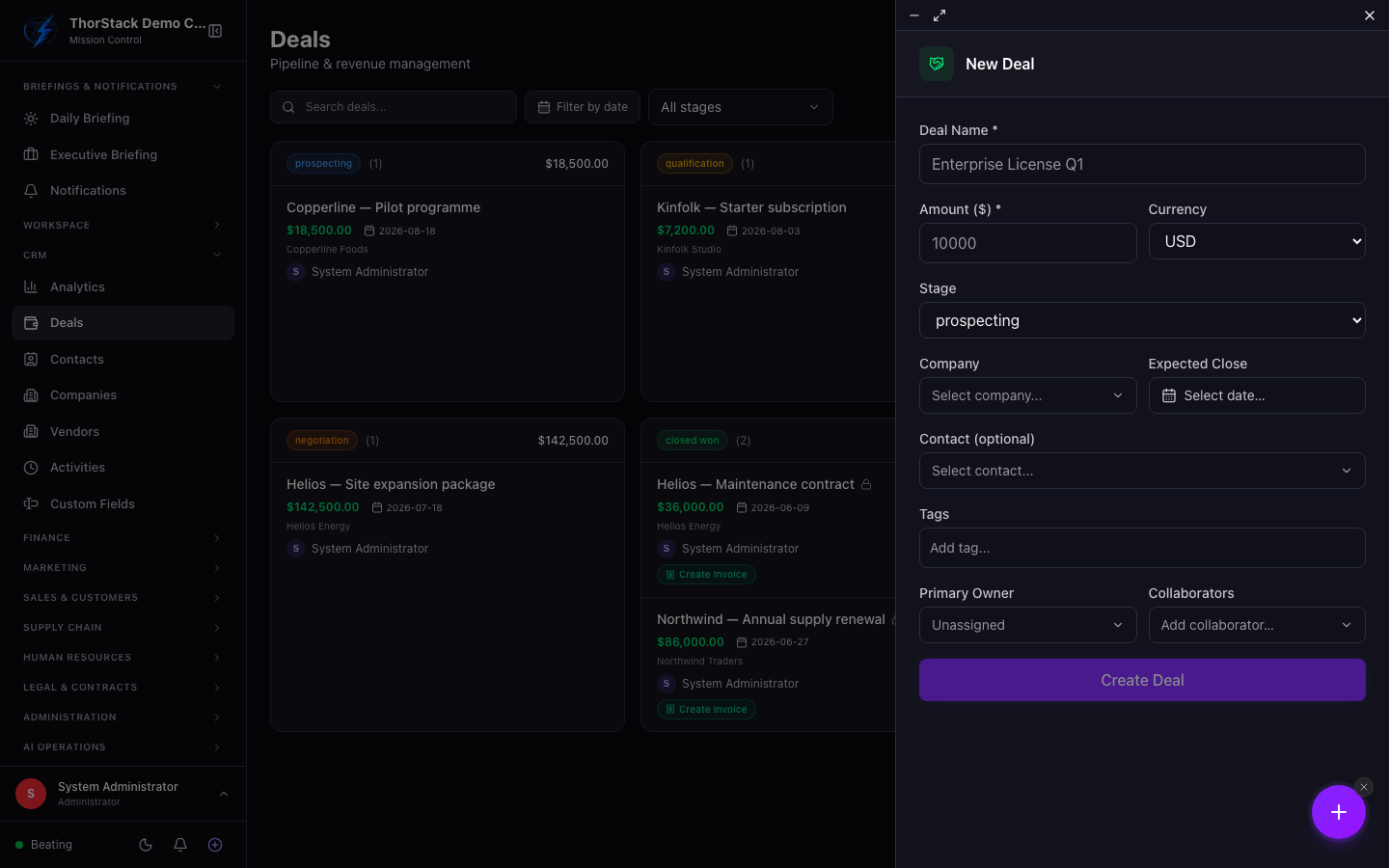 Creating a deal
From won deal to invoice
The moment a deal closes won, a Create Invoice button appears on the card. One click converts it into a Finance invoice and stamps the invoice number back onto the deal — pipeline to billing without re-typing.
Settings & permissions
Creating, editing and deleting need CRM write access (module:crm:rw). Deletion is soft — deals can be restored.
Related
- Accounting — where converted invoices land.
- Companies and Contacts — the records a deal ties together.