
Calendar
All your calendars — Google, Outlook and Zoho — in one month grid, with AI day analysis and booking links built in.
Watch: Calendar in 90 seconds
What it does
Calendar merges every connected provider — Google, Outlook and Zoho — into one view. Events keep their provider colour, task blocks and focus time get their own styling, and anything booked through your Scheduling page links back to the original booking.
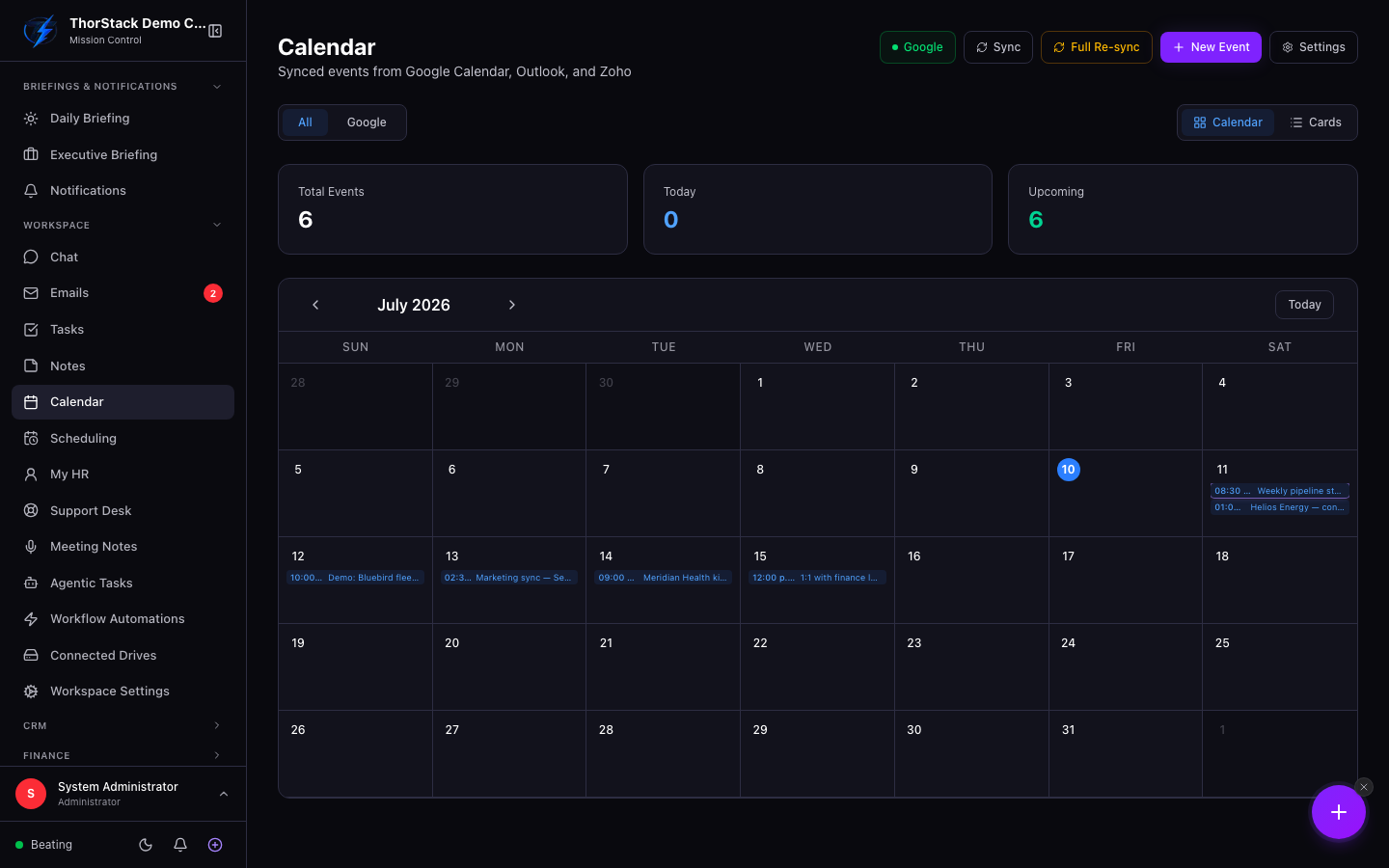 Month view with multi-provider events
Key concepts
| Element | What it tells you |
|---|---|
| Provider tabs | Filter the grid to All, Google, Outlook or Zoho. |
| Stats cards | Total events, today's count, and upcoming count at a glance. |
| Event colours | Provider colour for meetings; violet for task blocks; emerald for focus time. |
| Cards view | The same events as a date-grouped timeline instead of a grid. |
Everyday moves
- New Event opens the meeting drawer: pick guests, a time and a location.
- Sync pulls the latest from your providers; Full Re-sync clears the sync state and re-imports everything (use it if something looks stale).
- Click any event for the detail panel: attendees with RSVP status, meeting link, recurrence, reminders — and an Email button beside each attendee that opens a pre-addressed compose window.
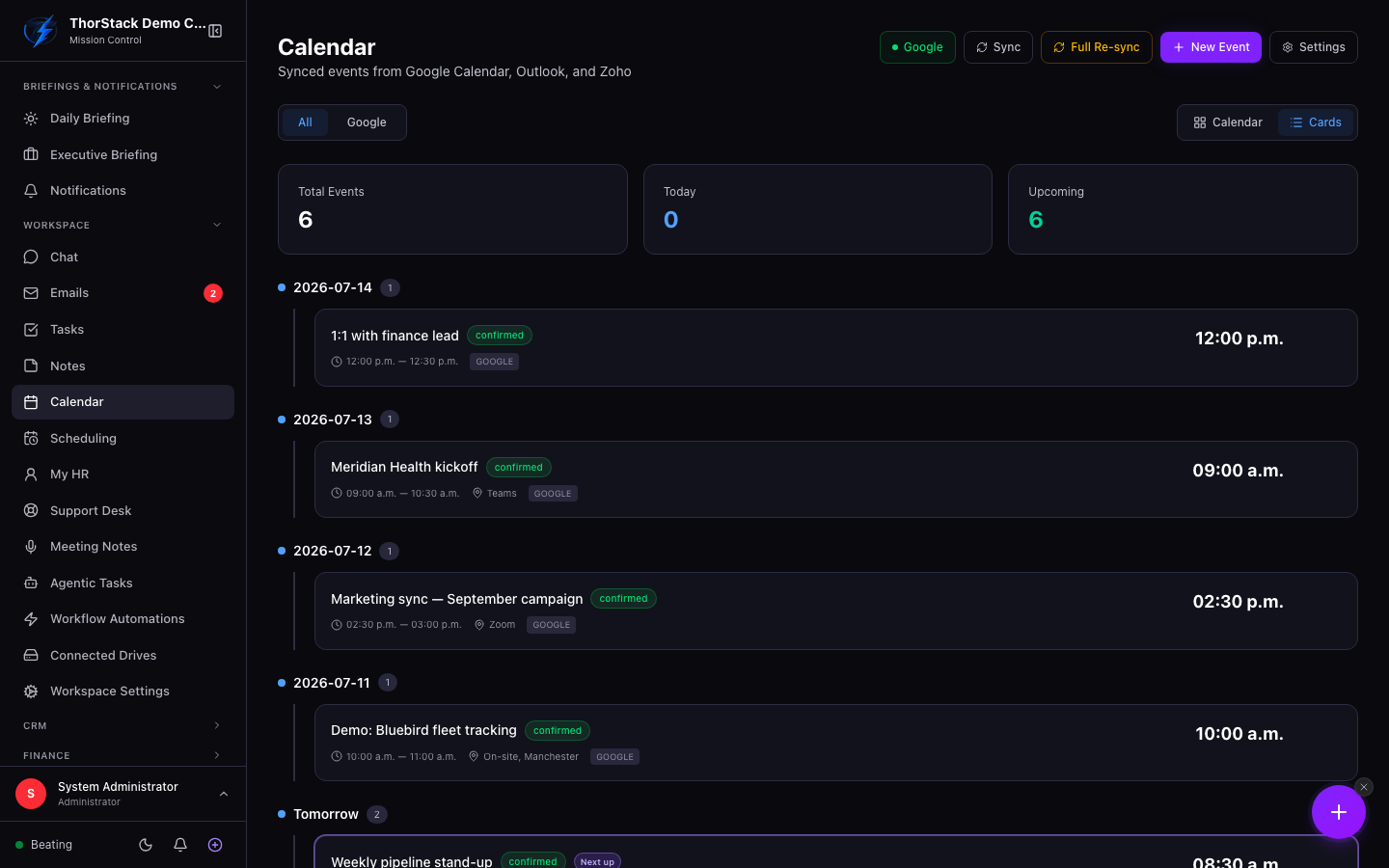 A day's events with detail panel
Let the AI read your day
Open any day and hit Insights. The AI checks the shape of your schedule — back-to-back count, available focus time — labels the day overloaded or balanced, and suggests fixes.
Settings & permissions
Providers connect via OAuth under Settings → Workspace Connections — see Workspace Settings. The calendar shows a 90-day lookback and 60 days ahead.
Related
- Scheduling — bookings made through your public page appear here automatically.
- Emails — attendee email buttons use the same connected accounts.