
Workspace guides
Emails
A unified, AI-triaged inbox across Gmail, Outlook and Zoho — with follow-up reminders, scheduling and bulk actions.
Watch: Emails in 90 seconds
What it does
Emails pulls every connected mailbox — Gmail, Outlook, Zoho — into one inbox. Each message gets an AI triage badge (priority, category, whether it needs a response), and anything that needs chasing lands in the Follow-ups folder with snooze controls.
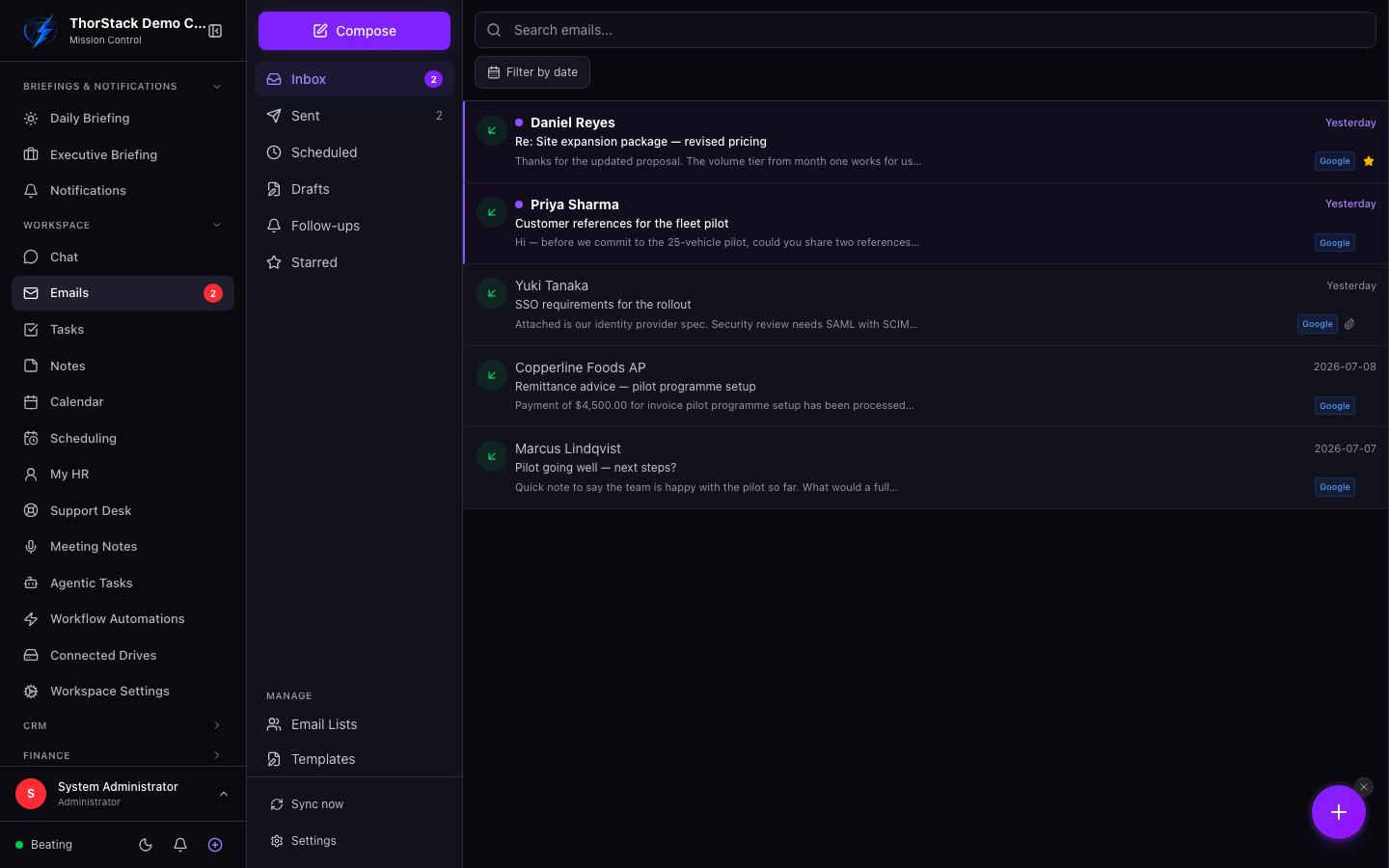 The unified inbox
Key concepts
| Folder | Contents |
|---|---|
| Inbox / Sent | Synced mail, with direction dots and provider filter tabs. |
| Drafts | Local compositions you haven't sent. |
| Scheduled | Emails queued for later — cancel any pending one from the list. |
| Follow-ups | AI-flagged threads awaiting a reply; resolve or snooze (+1d, +3d, +1w). |
| Starred | Anything you've starred, across providers. |
Everyday moves
- Compose opens the drawer; Smart Draft generates an AI reply you can edit before sending.
- Select several emails for bulk actions: Mark as read, Star, Compose to (pre-fills all senders), Add to list (email marketing lists), or Delete drafts.
- Sync now refreshes all providers at once.
- Add to contacts on any message creates a CRM contact from the sender.
Settings & permissions
Mailboxes connect via OAuth in Workspace Settings, where you also control sync direction (sent/received), the initial lookback window, whether senders auto-create CRM contacts, and your email signatures.
Related
- Email campaigns — lists you add recipients to here power campaigns there.
- CRM — contacts created from email sync or Add to contacts land in the CRM.