
Workspace guides
Scheduling
A public booking page with event types, availability rules and automatic calendar sync — your own Calendly, built in.
Watch: Scheduling in 90 seconds
What it does
Scheduling gives you a public booking page at /book/your-slug where clients pick a time that's genuinely free — it reads busy times from your connected calendar and writes confirmed bookings back to it.
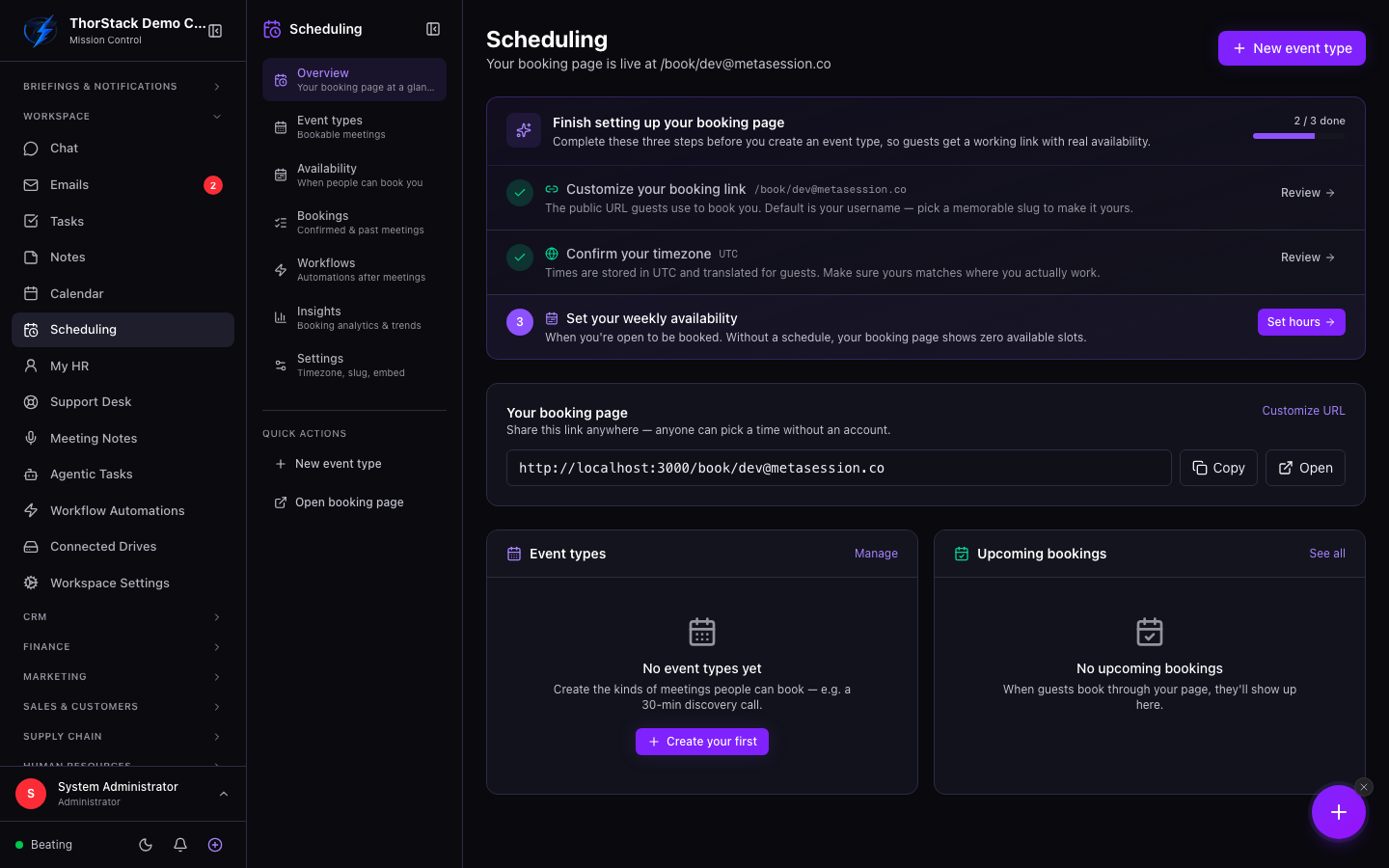 Scheduling overview
Key concepts
- Booking page — your public URL. Copy it, open it, or customise the slug in settings.
- Event types — what guests can book: each has a title, duration and location type (video, phone, in person).
- Setup checklist — the overview shows a checklist (slug, timezone, availability, calendar connection) and gates event-type creation until the basics are done.
Get set up
- Open Scheduling — the setup checklist tells you what's missing.
- Connect a calendar first (Google, Outlook or Zoho) under Workspace Connections; guest booking needs it.
- Click New event type, set a title, duration and location type.
- Copy your booking URL from the overview card and share it.
After the booking
Confirmed bookings show in Upcoming bookings on the overview and as full entries under Bookings, with guest name, email, timezone and notes. Each one also appears in your Calendar with the booking linked from the event detail.
Settings & permissions
Slug, timezone and availability blocks live under Scheduling → Settings. A connected calendar is required before your page accepts bookings.
Related
- Calendar — where booked meetings land.
- Workflow automations — trigger a workflow when a booking comes in.