
Projects & Tasks
Organise work into projects, track task progress and deadlines, and see team workload at a glance.
Watch: Projects & Tasks in 90 seconds
What it does
Projects & Tasks is the Workspace's work-tracking hub. Work lives in projects — each with a status, deadline, department, team and optional KPIs — and every project carries its own task list with a visible progress bar. Use it for anything from a client onboarding to an internal campaign.
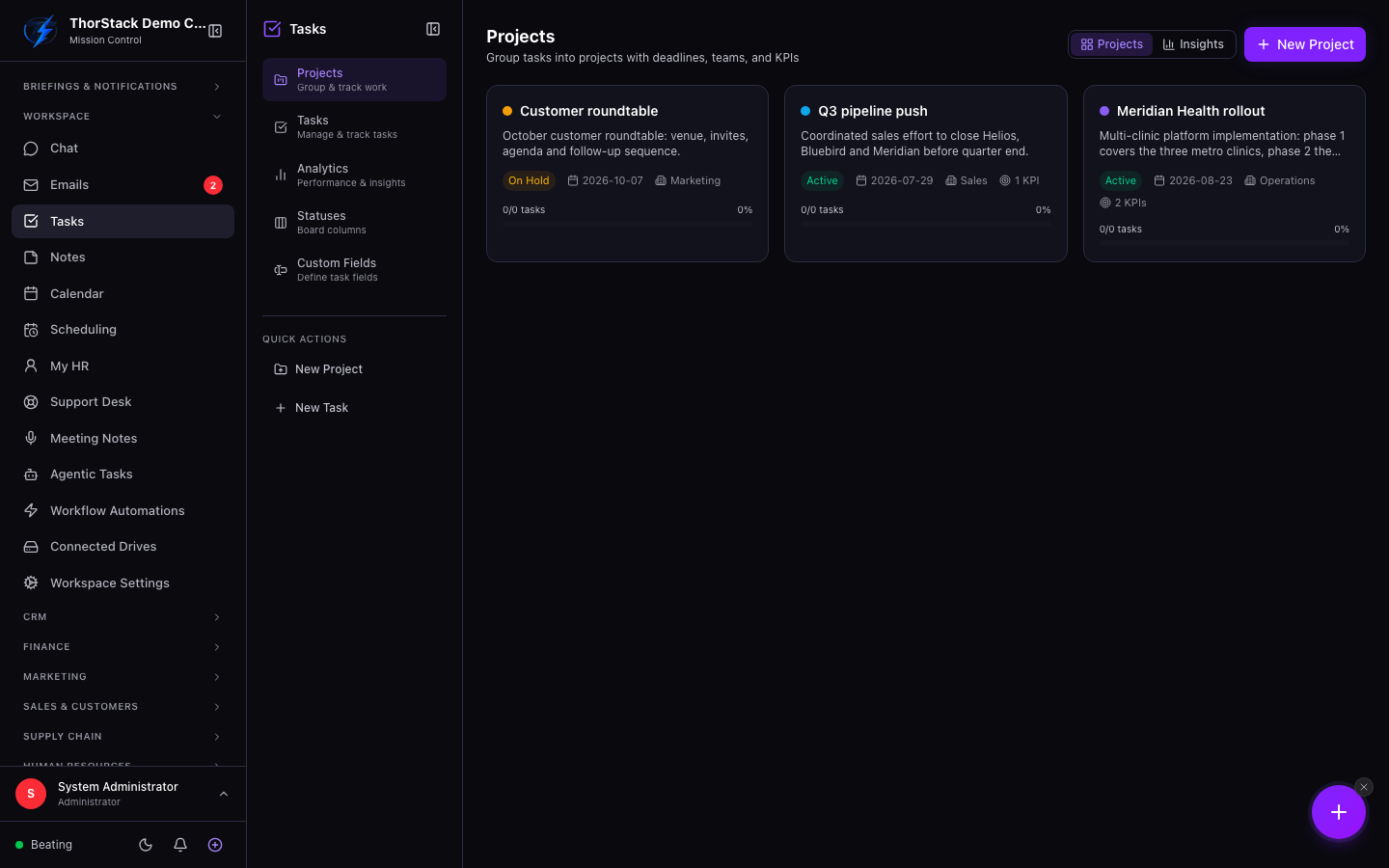 The Projects view
Key concepts
| Concept | Meaning |
|---|---|
| Project | A container for related tasks, with status active, on hold, completed or archived. |
| Department | Projects can be tagged to a department (pulled from your HR module) for workload reporting. |
| KPIs | Optional measurable targets attached to a project. |
| Progress | Each card shows done vs. total tasks as a percentage bar. |
Create a project
- Open Tasks from the Workspace section of the sidebar.
- Click New Project (top right). A drawer slides in.
- Give it a title and description, pick a status and deadline, and optionally assign a department, team members and KPIs.
- Save — the project appears as a card in the grid. Click it to open its task board.
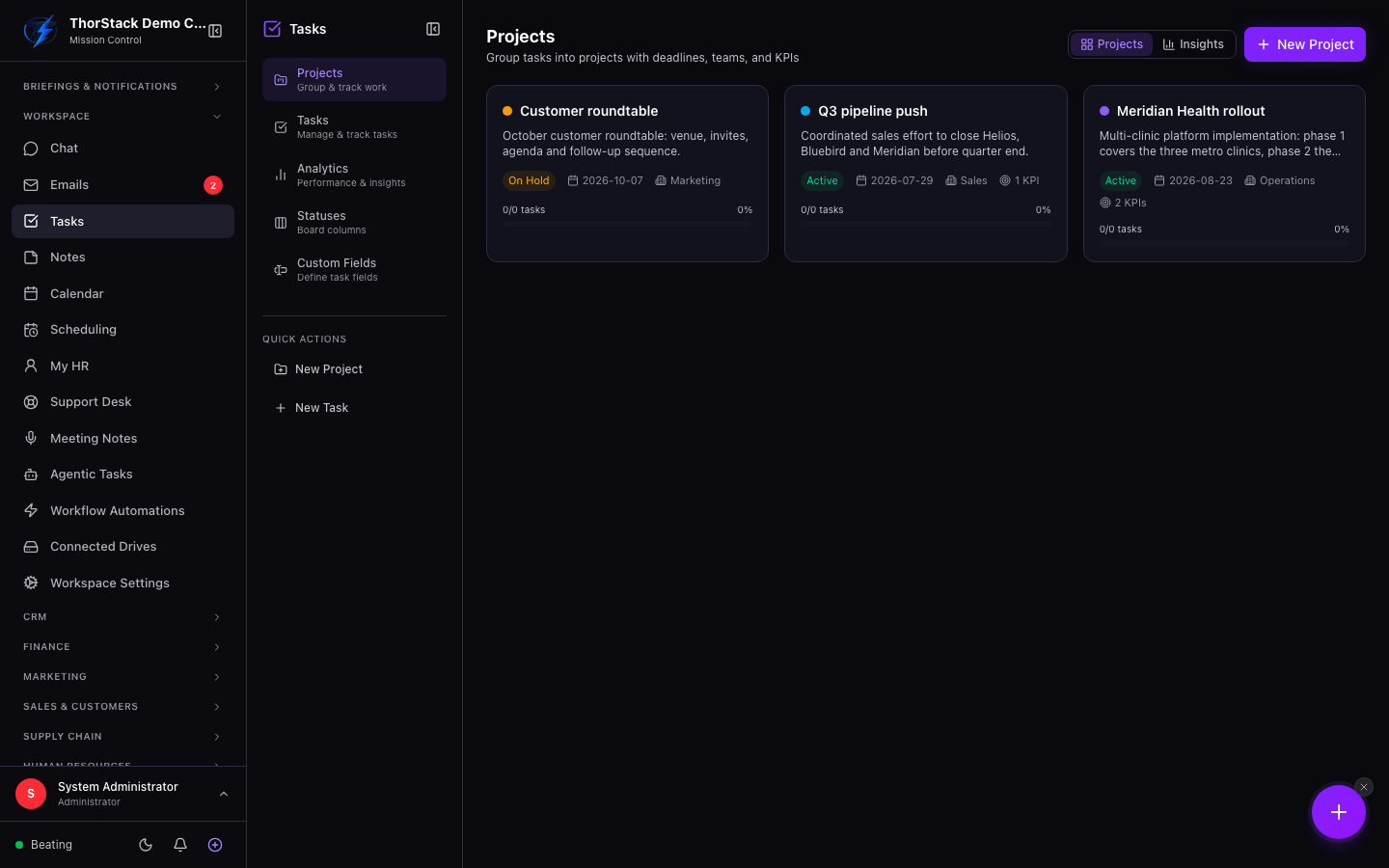 Tracking work by status and deadline
Read the room with Insights
Switch the toggle from Projects to Insights for the analytics view: total and active projects, task completion percentage, overdue and due-soon counts, workload bars per department and per team member, and the next deadlines coming up. It's the fastest way to spot an overloaded teammate before a deadline slips.
Settings & permissions
Project and task access follows your workspace role; there are no extra switches to flip. Custom fields for projects are managed the same way as CRM custom fields.
Related
- Workflow automations can create tasks automatically and react when tasks complete.
- Meeting Notes turns AI-extracted action items into tasks.
- Agentic Tasks are different: those are jobs you delegate to an AI agent.